For advocates
Case law search and AI legal research for advocates
Search 1,68,37,327 judgments and orders, Supreme Court and High Courts included, in plain words. Every answer cites the judgment, so you can check it.
Find the precedent. Read your papers. Draft the document.

Research: find the precedent, then check it.
Put the question as you would to a colleague, in English or Hinglish. The answer comes short version first, then each case with its court, date and what was held, beside the point it supports.
- Open the judgment itself before you cite it. If its text is incomplete, the reader says so.
- Statutes with their text: name the Act and section.
- Case Lookup searches the record by court, year, Act, judge, party or citation.
- Chamber keeps every memo. Search it, reopen a matter, ask a follow-up, download a PDF. ₹19.90 gets you a research memo.
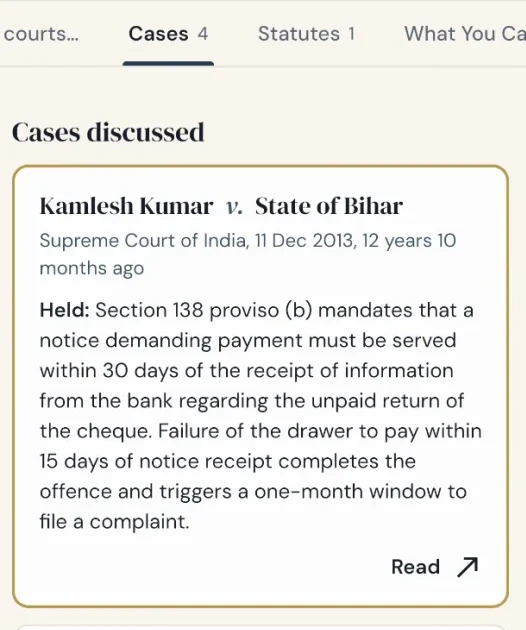
Case papers: read the file with Vitark.
Upload a PDF of the contract, notice or order you are working on. Vitark reads it with you, page by page, and keeps it unread until you ask.
- A brief of the paper: the parties, the dates against today, the clauses and the points to check, each with its page.
- Ask about it. Every answer names the clause, the page and the law behind it.
- PDF only, up to 25 MB and 400 pages; a scanned PDF up to 60 pages.
- Yours alone. Only you can open your paper in Vitark, and it stays in your Library until you delete it.
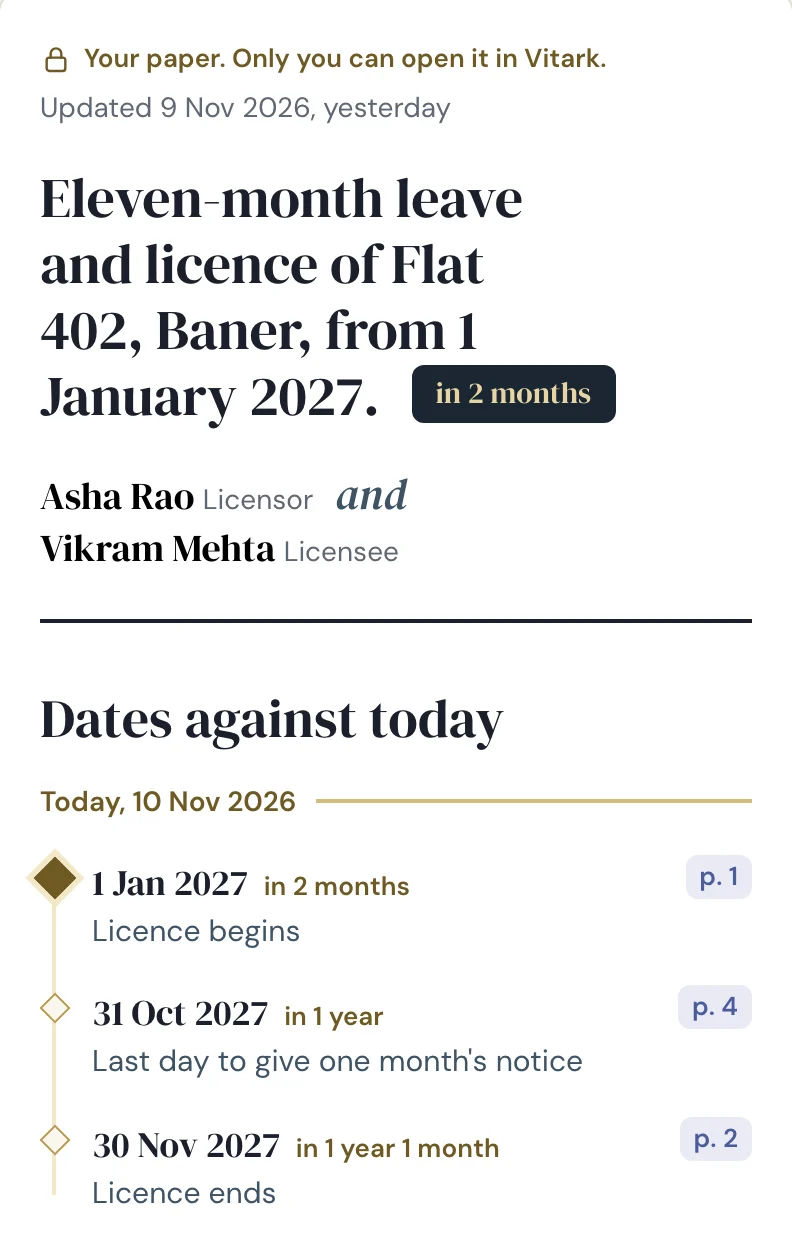
Drafting: from the facts to a document you can edit.
Describe the matter: who the parties are, the place and the key amounts. Vitark finds a template, checks the facts it needs, drafts the document, and you edit it with the agent before you download it as Word (.docx).
- Agreements and notices: residential rent and leave and licence agreements, affidavits and declarations, a simple cash partnership deed, a cheque dishonour notice under Section 138 of the NI Act, a notice under Section 80 CPC, a complaint to an authority, or a draft without a template.
- In English, Hindi or Marathi, for the state you choose.
- A check before download looks for blanks, mismatches and legal points with no source. It does not review your facts.
- On the web today. Finding a template costs no credits; Vitark shows the price before it drafts.
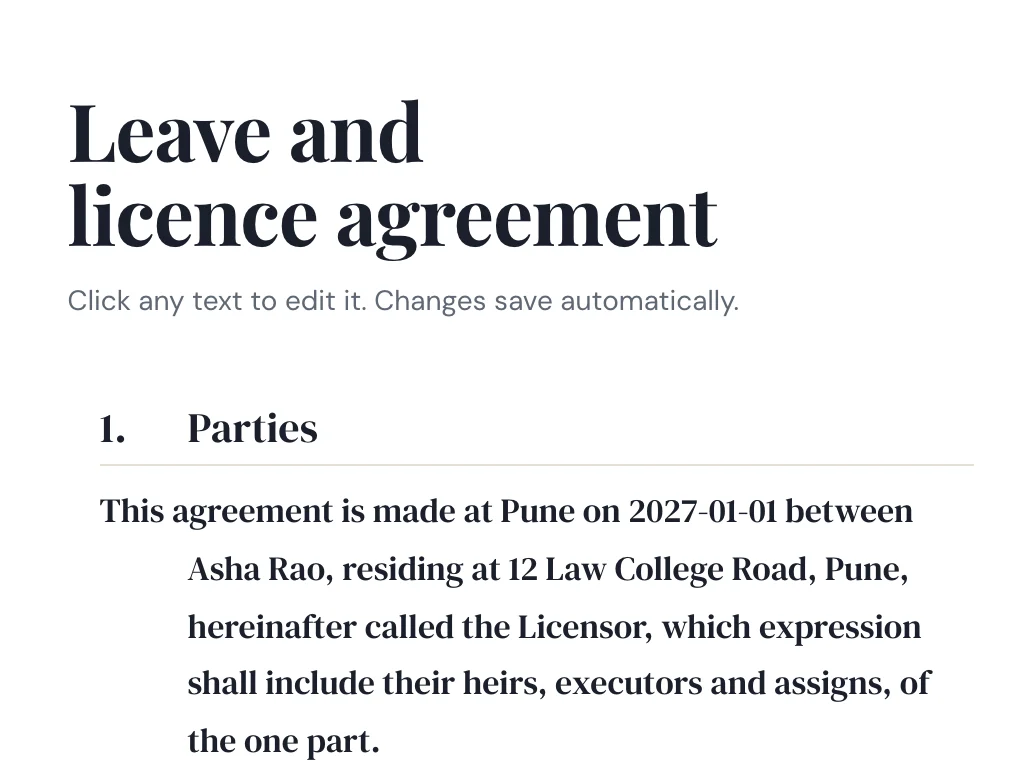
Government forms, filled for you to submit.
Say what you need to do, in plain words. Vitark finds the right form, fills it, and tells you where to send it.
- 21 forms in four groups: work and money, family, identity and records, complaints and rights.
- Among them an RTI application and appeals, a consumer complaint to the District Commission, a written complaint to the police station, the EPF composite claim, gratuity forms, passport annexures and a change of name in the Gazette of India.
- You file it. Download the form as a PDF; check the fee and the address, and submit it yourself on the official portal.
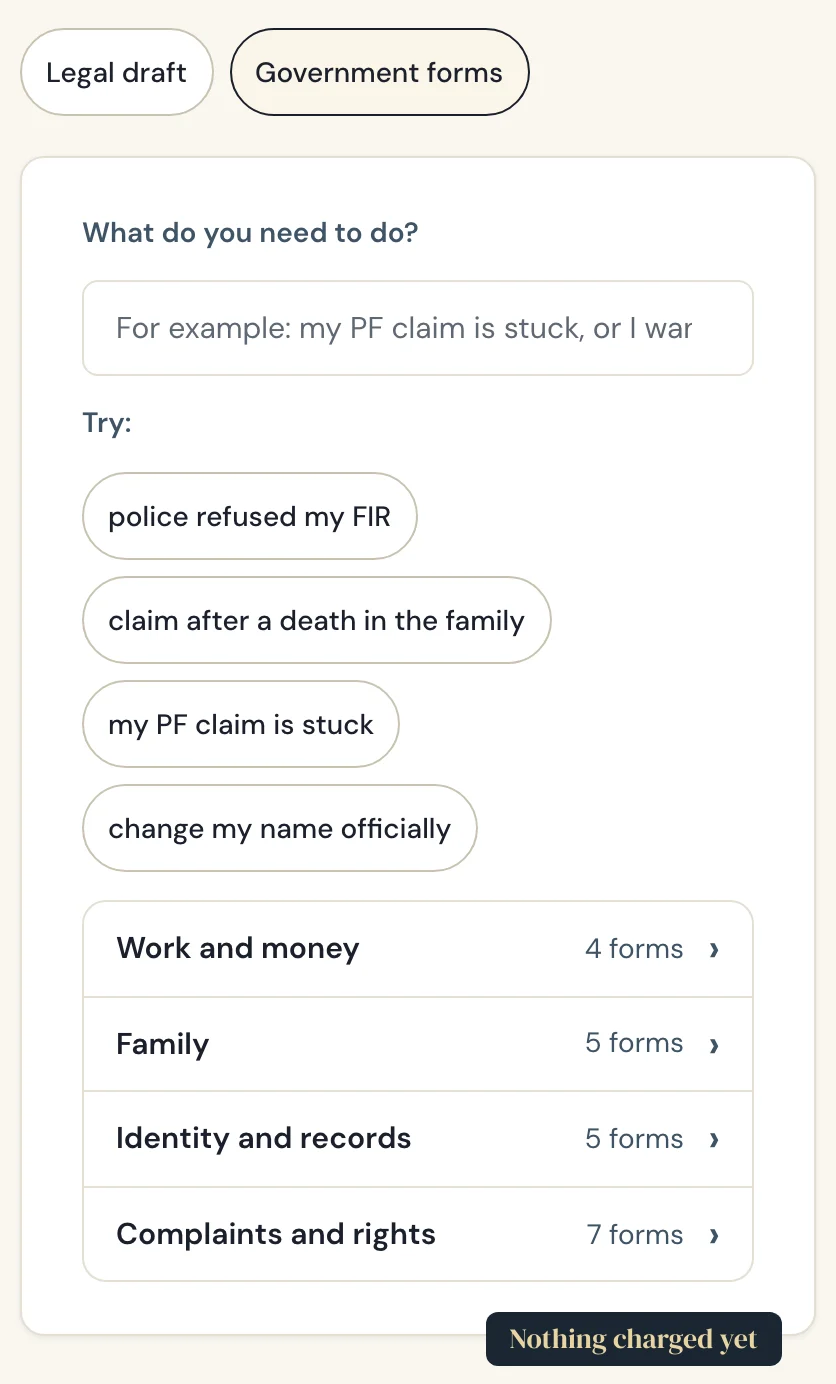
Working in ChatGPT? Add Vitark and it answers from the judgments and statutes Vitark retrieves, each with a source ID.
Vitark in ChatGPTQuestions from practitioners.
Which courts does it search?
The Supreme Court, 25 High Courts, and tribunals and regulators: 1,68,37,327 judgments and orders, plus the text of 17,786 Acts.
Can I cite straight from a memo?
Read the judgment first. Every case opens to its text so you can check the paragraph; Vitark is information, not advice.
What can I upload as a case paper?
A PDF of the document you are working on, such as a contract, notice or order: up to 25 MB and 400 pages. A scanned PDF can have up to 60 pages, and a PDF with selectable text works best. A password-protected PDF cannot be read.
What happens to a paper I upload?
Only you can open it in Vitark. It stays in your Library until you delete it; Vitark then deletes the file and the text taken from it. A record that you uploaded a file, not the paper itself, is kept for as long as the law requires. The paper is read with Google’s Gemini models on Google Cloud, whose computers may be outside India.
What do papers and drafts cost?
Uploading a paper and finding a drafting template cost no credits. Vitark shows the credit price before it reads a paper, answers a question about it, or writes a draft. A research memo costs one credit; ₹19.90 gets you one.
Where can I draft?
On the web today. The Android and iPhone apps get drafting later.
Does Vitark file a government form for me?
No. It fills the form and gives you the PDF; you check the fee and the address and submit it yourself on the official portal.
Does it work inside ChatGPT?
Yes. Add Vitark to ChatGPT and ask for a case by CNR, citation or party names; it uses the same account and credits.
Put your next matter to Vitark.
Citation Kumari has a hearing at 10:30 and no precedent. Play her story