
Android and iPhone
Research a legal question from your phone.
Ask about your problem from your phone, in English or Hindi, and get the same cited answers as the web. Every case opens to its judgment, and you can share an answer as a PDF.
The Vitark app for Android and iPhone gives you the same cited memos, case files and judgment lookup as the web, with PDF export when you need to share.


Same account and credits as the web. Available in English and Hindi.
Watch the app walkthrough.
Forty seconds, from a notice that has to go out today to a draft on the phone.

Recorded on iPhone. The Android app has the same screens.
What you can do in the app.
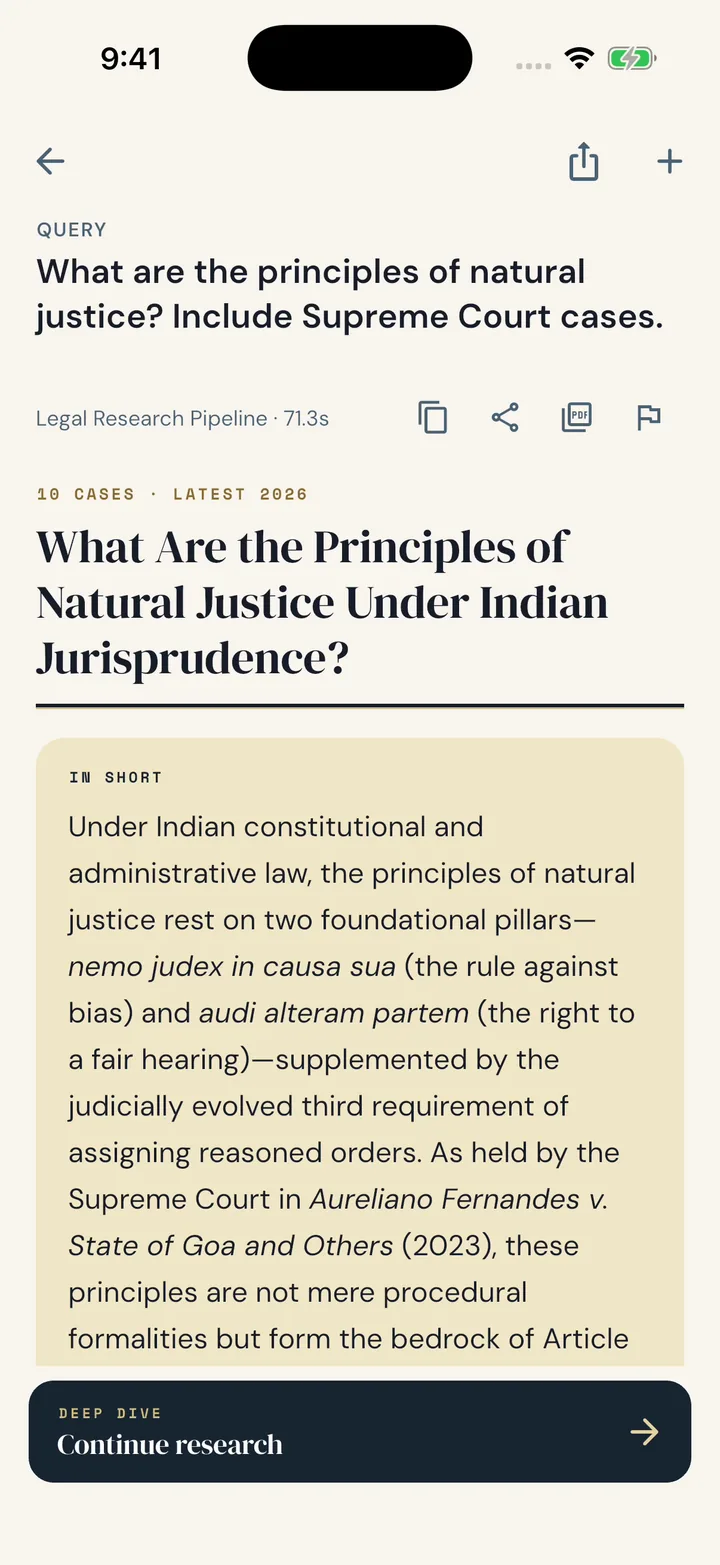
Ask in your own words
Type your question in English or Hindi and get a structured memo with a short answer first.
See every case behind it
Each case in the memo comes with its court, date and what was held.
Read the full judgment
One tap takes you from any case to the text of the judgment.
Ask follow-ups
Go deeper on any point. The conversation stays tied to the memo.
Export a PDF
Save the memo as a PDF or share it straight from your phone.
Look up any judgment
Search the court record directly by court, year, Act, judge or party.
Get started.
Download the app
Get Vitark from the App Store or Google Play.
Sign in
Use your existing Vitark account or create one in the app.
Ask your first question
Open Research, describe the issue and follow the memo to its sources.
Questions about the mobile apps.
Is Vitark available on both Android and iPhone?
Yes. Download it from Google Play or the App Store using the buttons on this page.
Do I need a separate account for the app?
No. The app uses the same Vitark account, memos and credits as the web.
Which languages does the app support?
English and Hindi today, and you can switch from Account. More Indian languages are coming soon.
How do I buy credits on my phone?
Buy credits inside the app. Purchases are billed through the App Store or Google Play, depending on your phone.
Can I export a memo from my phone?
Yes. Export any memo as a PDF, then save or share it.
Which phone is shown on this page?
The 40-second clip of drafting a legal notice and the image at the top of this page were recorded on the iPhone app. The Android app has the same screens and features.
Read the full video transcript
Notice aaj nikalna hai. Junior chhutti pe. Vitark app.
Kya chahiye, ek line mein bolo. Hinglish bhi chalega. Baaki Vitark poochega. Pehle facts.
Naam, tareekh, bank. Jo abhi nahi pata, blank chhodo. Baad mein bharna. Draft taiyaar.
Section by section. Badlaav chahiye? Bolo. Agent badlega, aap approve karoge.
Blanks gin ke dikhata hai. Phir Word mein export. Letterhead aapka.
Download karo. Junior ko mat batana. Jaankari, salah nahi.
Get Vitark on your phone.
Apple and the Apple logo are trademarks of Apple Inc. App Store is a service mark of Apple Inc. Google Play and the Google Play logo are trademarks of Google LLC.