Research a legal question from your phone.
The Vitark app for Android and iPhone gives you the same cited memos, case files and judgment lookup as the web, with PDF export when you need to share.


Same account and credits as the web. Available in English and Hindi.
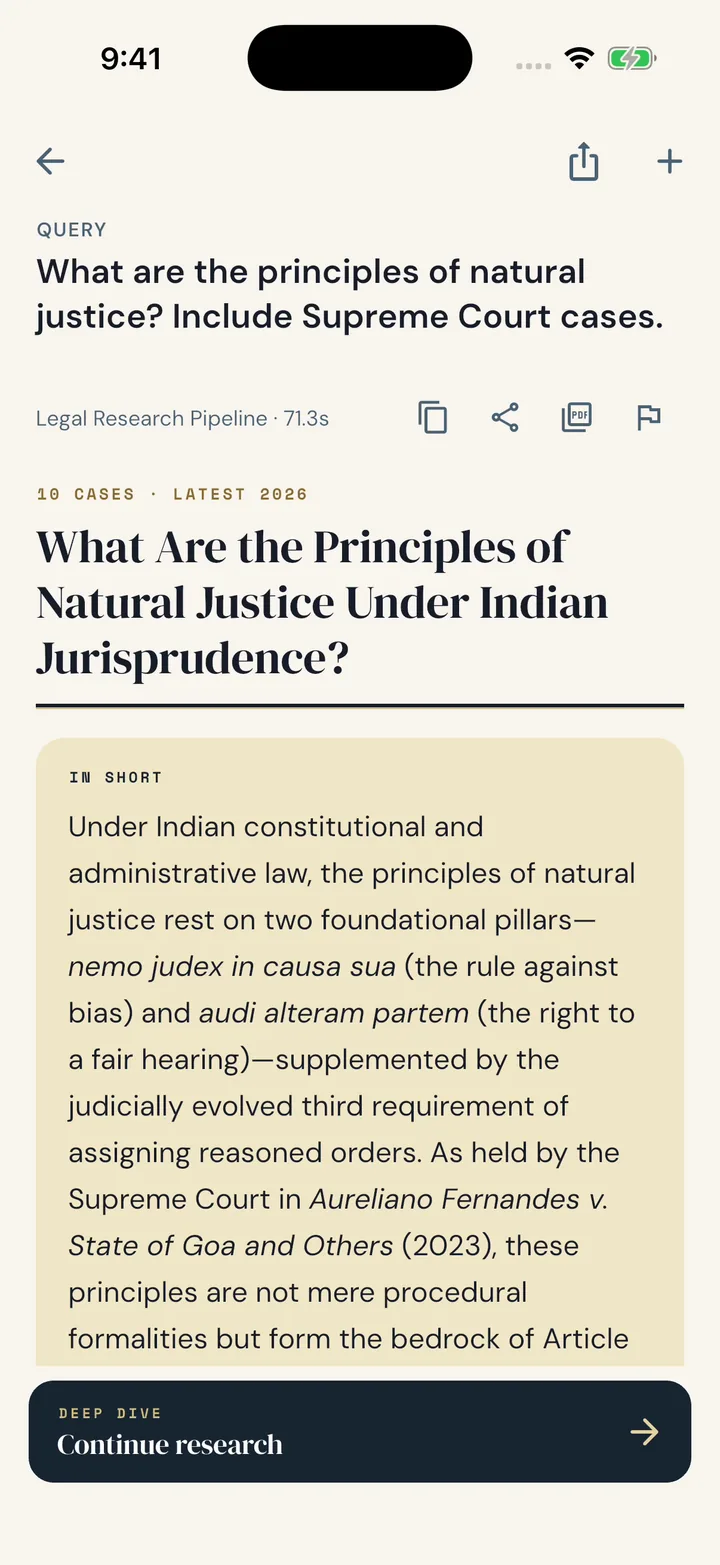
Watch the app walkthrough.
Three minutes, from asking a question to reading the judgment.
Recorded on iPhone. The Android app has the same screens.
Chapters
- Your research, with you
- A clear starting point
- Research and saved matters
- Ask in plain language
- A memo built for reading
- Follow a citation
- Read the case file
- Ask the next question
- Export and share
- Find the case you need
- Read the original record
- Your account, in one place
- Review your preferences
- Keep the source close
What you can do in the app.
Ask in your own words
Type your question in English or Hindi and get a structured memo with a short answer first.
See every case behind it
Each case in the memo comes with its court, date and what was held.
Read the full judgment
One tap takes you from any case to the text of the judgment.
Ask follow-ups
Go deeper on any point. The conversation stays tied to the memo.
Export a PDF
Save the memo as a PDF or share it straight from your phone.
Look up any judgment
Search the court record directly by court, year, Act, judge or party.
Get started.
Download the app
Get Vitark from the App Store or Google Play.
Sign in
Use your existing Vitark account or create one in the app.
Ask your first question
Open Research, describe the issue and follow the memo to its sources.
Questions about the mobile apps.
Is Vitark available on both Android and iPhone?
Yes. Download it from Google Play or the App Store using the buttons on this page.
Do I need a separate account for the app?
No. The app uses the same Vitark account, memos and credits as the web.
Which languages does the app support?
English and Hindi today, and you can switch from Account. More Indian languages are coming soon.
How do I buy credits on my phone?
Buy credits inside the app. Purchases are billed through the App Store or Google Play, depending on your phone.
Can I export a memo from my phone?
Yes. Export any memo as a PDF, then save or share it.
Which phone is shown on this page?
The walkthrough video and the image at the top of this page were recorded on iPhone. The Android app has the same screens and features.
Read the full video transcript
Your research, with you
Meet Vitark on iPhone. The same legal research workflow, designed for a smaller screen and easy access wherever you work.
A clear starting point
Home gives you a starting point for your work. Use the navigation at the bottom to move between Home, Research, Case Lookup, and Account.
Research and saved matters
The Research tab brings your saved work together. Search for a previous matter, reopen a memo, or start a new research question.
Ask in plain language
Describe the legal issue and add the details that matter. Submit the question, then follow the research as Vitark gathers material and prepares the memo. The wait is shortened here.
A memo built for reading
The memo opens with a concise overview. Scroll into the analysis, review the source information, and use the section controls to move through the research at your own pace.
Follow a citation
Open Cases to inspect the authorities behind the analysis. From a case card, open the judgment and read the source in the app, then return to your memo.
Read the case file
The case file gathers the court, decision date, case number, and the findings discussed in your memo. Use the judgment action to continue into the case reader.
Ask the next question
Continue with a follow-up when you need more detail. Ask a focused question, then read the response in its own conversation view. The thread stays connected to the research, and Back to memo takes you straight to the analysis you started from.
Export and share
Export a memo as a PDF to read it in the document viewer. Scroll through the pages, then use the sharing control when you need a copy outside the app.
Find the case you need
Case Lookup gives you a direct route to court records. Open the filters, choose the criteria you need, and apply them to see matching matters.
Read the original record
Tap a result to open the full case record. Read at your own pace, scroll through the document, and return to the list when you are ready.
Your account, in one place
The Account tab brings together your profile and available account controls. Review your credit balance and the options for using Vitark across your devices.
Review your preferences
Review your purchase history and language preferences. The account screen also keeps the Privacy Policy, Terms of Service, and sign-out control within easy reach.
Keep the source close
Research a question, follow the sources, and return to your saved work. Vitark brings that workflow to your iPhone.
Get Vitark on your phone.
Apple and the Apple logo are trademarks of Apple Inc. App Store is a service mark of Apple Inc. Google Play and the Google Play logo are trademarks of Google LLC.